Printing an ID Collar
Operating Procedure
Important note: all room cards and ID collars should be printed in the morning, using the 'Reception Tasks Before Opening' procedure. This partucular procedure is only for the following cases:
- ID collar is damaged/missing and needs a replacement.
- Pet changed room - we'll need a new collar to reflect the new room.
- A pet shows up without a reservation.
Printing an ID collar
- Note: only dogs (who are boarding) get ID collars.
- Navigate to the desired pet's reservation screen.
- Press the print button at the top right, and then click 'Print Labels'.
- This will give you access to a printing preview screen. (Note: if this does not show up, it is because pop-ups are disabled. You must enable popups in order for this screen to show up.)
- Press CTRL + P to print - ensure the destination is set to 'Petdetect Raster Printer'
- Under 'Copies' you must use the chart below to determine how long the collar will be.
| Smaller Breeds (<35 Lbs) | Medium or Larger Breeds (~35-80 Lbs) (Most Common) | Extra Large Breeds (>80 Lbs) |
| 3 Labels Long | 4 Labels Long | 5 Labels Long |
- Once the correct number of copies is entered and the correct printing destination is set, print out the label.
- Label should be printing now - if they are not,
- We have a switch (on the cash drawer) to swap between printing from the R1/R2 computer. Ensure that the light on the switch refects the computer you are currently using.
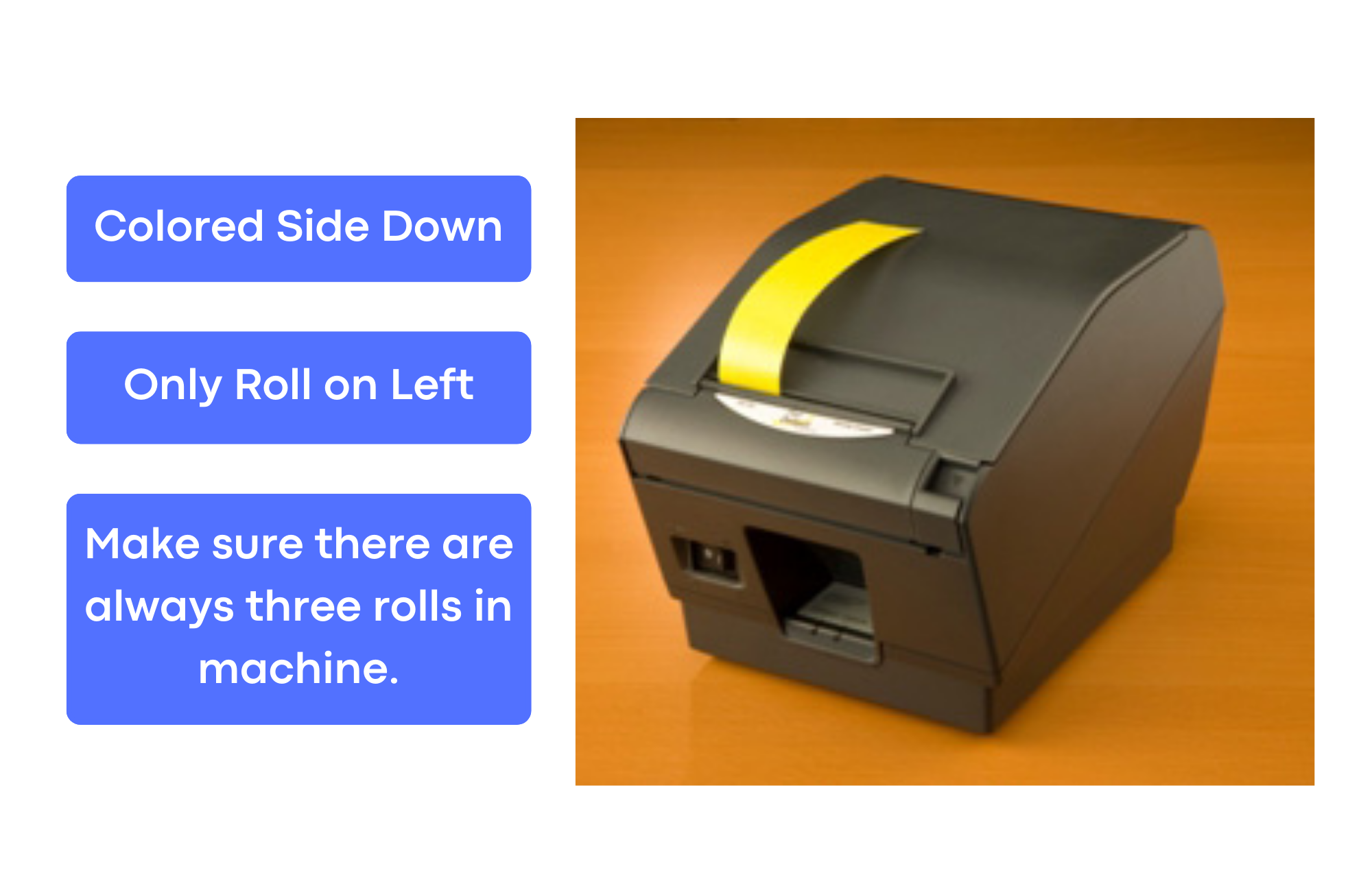
- Ensure there is a roll of label tape fed into the label printer (the colored side should be down - the roll of label tape fed into the machine should be the one on the left. There must be three rolls of label tape, side-by-side, in order for the label printer to work properly. Again - only the leftmost roll should be fed into the machine.
- If the label machine is stalling/not printing well, ensure the roll is aligned perfectly, with no additional slack.
- If the label machine is not cutting each collar well, wipe off the blade CAREFULLY with a disinfectant wipe. Remove all built-on gunk with the wipe and it should cut perfectly after.
- Place collar on dog if they are here, or if they have not come in, place the collar on the back wall behind the reception desk.